Build / OnRamps
Buy SOMI Using Banxa Checkout
You can easily buy SOMI tokens using Banxa, a trusted fiat to crypto gateway partner.
This guide walks you through purchasing SOMI directly from the Banxa Checkout Portal.
Banxa lets you buy cryptocurrency with local payment methods, including credit/debit cards, bank transfers, and mobile wallets.
In this guide, you’ll learn how to:
- Access the Banxa checkout page
- Select SOMI as the token to purchase
- Complete payment securely
- Receive SOMI in your wallet
Prerequisites
Before you start, ensure you have:
- Your wallet address handy, this is where SOMI will be sent.
- A valid payment method supported in your region (Visa, Mastercard, bank transfer, etc.).
Step 1 — Visit the Banxa Checkout Page
Go to https://checkout.banxa.com/.
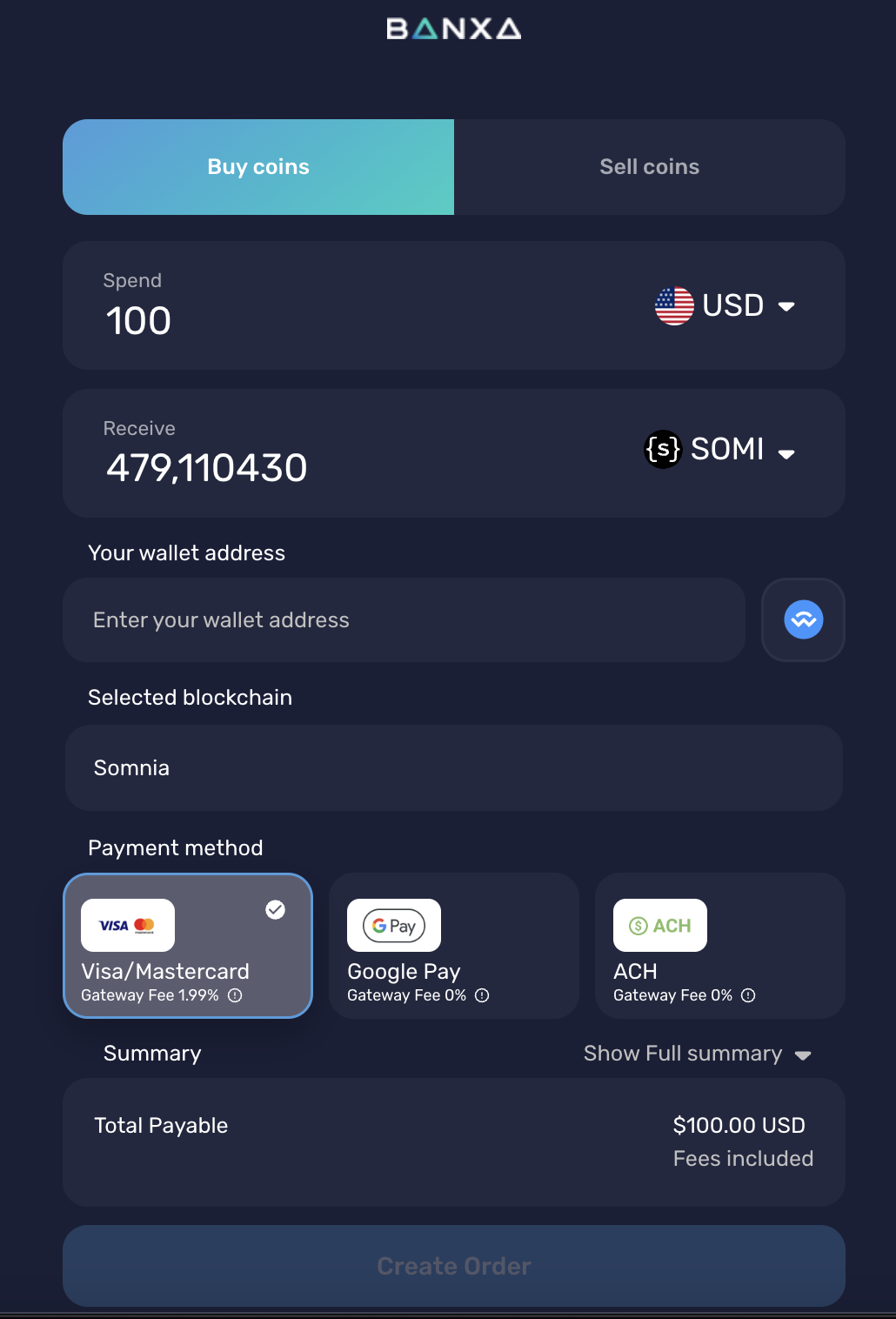
You’ll see a simple interface to select your fiat currency and cryptocurrency.
Step 2 — Choose Your Purchase Options
- In the “You Pay” field, enter how much fiat (e.g. USD, EUR, NGN) you want to spend.
- In the “You Get” field, select SOMI as the token.
- Select the network as Somnia Network.
Banxa will automatically show the conversion rate, fees, and delivery estimate.
Step 3 — Enter Your Wallet Address
Copy your wallet address from your Somnia-compatible wallet (e.g. MetaMask) and paste it into the “Wallet Address” field.
Important
Triple check the address before proceeding. Funds sent to the wrong address cannot be recovered.
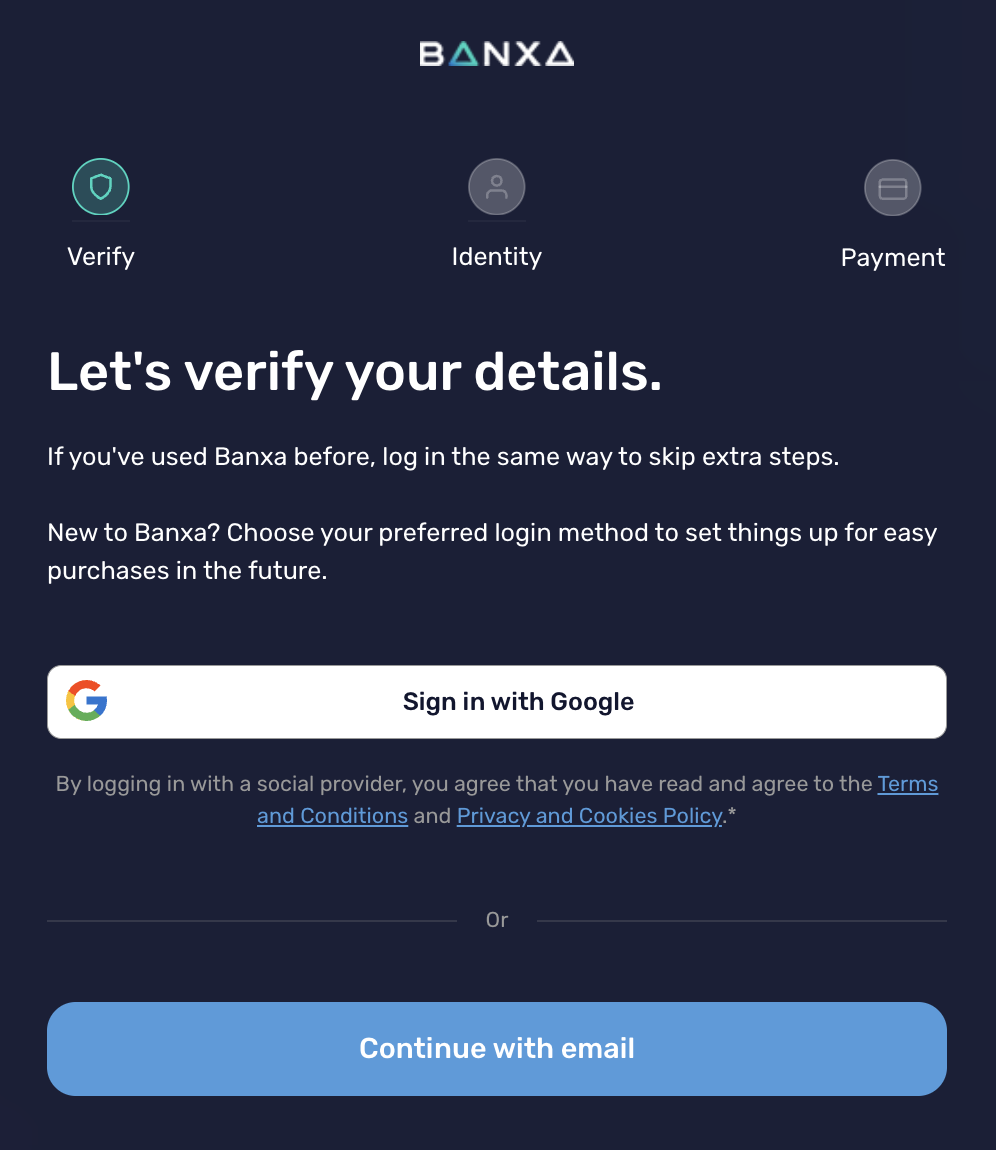
Step 4 — Complete KYC Verification
Banxa complies with international regulations and may ask you to verify your identity.
Typical verification steps include:
- Uploading a government-issued ID
- Taking a selfie
- Confirming your billing address
This process only needs to be done once per account.
Step 5 — Select a Payment Method
Choose one of the available payment options for your country:
- Credit/Debit Card
- Bank Transfer
- Apple Pay / Google Pay (where supported)
Follow the on-screen instructions to complete the payment.
Step 6 — Receive SOMI in Your Wallet
Once payment is confirmed:
- Banxa will process the transaction.
- SOMI tokens will be sent directly to your wallet on the Somnia Network.
- You’ll receive a confirmation email once the transfer is complete.
This may take a few minutes, depending on network congestion and payment method.
Need Help?
If your transaction is delayed or you need assistance, you can contact:
- Banxa Support: support.banxa.com
- Somnia Community: Discord → #support
Disclaimers
- Banxa is a third party provider. Always ensure you are using the official checkout.banxa.com link.
- Transaction fees, limits, and verification steps vary by country and payment method.
- SOMI purchases are non reversible once processed.
Copied from docs.somnia.network (somnia-main-docs) by scripts/import-gitbook.mts, until it finds a home in a product's docs.Edit this page